Permit to Work in the UAE
If you landed here because a supervisor just told you “the permit’s not valid, stop the job,” or because you’re a new HSE officer trying to figure out why your site’s PTW register is a mess of expired paper and missing signatures, you don’t need a definition. You need to know what’s actually going wrong and how to fix it before the next shift starts.
I spent nine years as a Permit Coordinator and HSE Advisor on construction and oil & gas sites across Abu Dhabi and Dubai, including two years running PTW compliance for a Tier-1 contractor on a Ruwais-area expansion project where we issued 35 to 50 permits a day at peak. I’ve also had to explain to a client’s HSE manager why a hot work permit was still hanging on a gas cutting rig three hours after its 4-hour validity window expired. So this isn’t theory. This is what I’ve actually seen break, and what fixed it.
One more thing before we start: if you searched something like “how to check work permit status in UAE,” there’s a good chance you’re actually looking for two different things, and mixing them up wastes people’s time on-site. I’ll untangle that in the next section.
Wait, Which "Work Permit" Are We Even Talking About?
This trips up almost everyone new to the UAE, including experienced expats. There are two completely unrelated documents that both get called “work permit”:
- Labour work permit (MOHRE) – the government authorization tied to your employment visa, issued by the Ministry of Human Resources and Emiratisation. This confirms you’re legally allowed to work for a specific employer in the UAE.
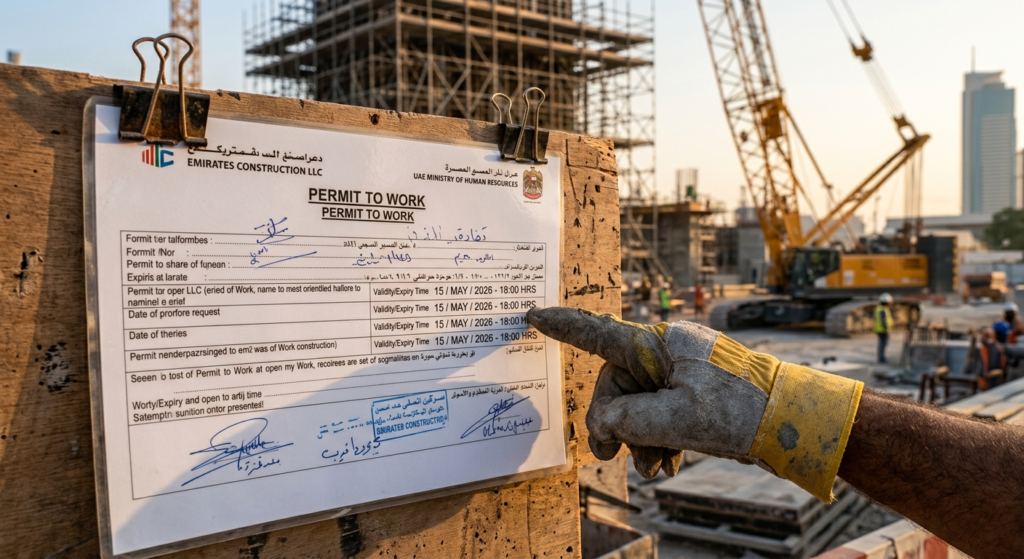
- Permit to Work (PTW) – a site-level safety document that authorizes a specific worker to carry out a specific hazardous task (hot work, confined space entry, excavation, working at height) under specific controls, for a specific window of time.
If you’re checking whether your visa and employment are in order, you want MOHRE. If you’re checking whether it’s safe and authorized to strike an arc or open a manhole cover, you want the site’s PTW system. Confusing the two isn’t just an SEO problem. I’ve seen a labourer show HR his valid MOHRE labour card as “proof” his hot work permit was fine. It wasn’t the same thing, and the job got stopped anyway. Let’s cover both properly.
How to Check Work Permit Status in UAE (MOHRE / Labour Permit)
This is the employment-side check, whether your work permit, labour contract, or visa application has cleared MOHRE’s system. You’ve got four practical routes:
- Online portal: Go to mohre.gov.ae or the dedicated enquiry service at inquiry.mohre.gov.ae, select “Work Permit Information Service” under Enquiry Services, and enter your labour card number, passport number, or Emirates ID.
- MOHRE Smart App: Same data, mobile-first, useful if you don’t want to sit at a desktop.
- Call centre: Dial 600 590 000 (or the older 800 60 line) and quote your permit or passport number.
- Tasheel service centre: If you’d rather do it in person, any Tasheel centre can pull your status on the spot.
What you’ll see once the lookup goes through: permit status (approved, pending, cancelled), issue and expiry dates, sponsoring company name, and job title. If the status comes back cancelled or rejected and you didn’t expect that, don’t sit on it, contact your employer’s PRO or MOHRE directly, because a cancelled work permit affects your legal right to be employed, not just a piece of paper.
Processing for a new permit typically runs 5 to 15 business days once documents are submitted, so if you’re checking on day two, the “pending” status you’re seeing is normal, not a red flag.
How to Check a Permit to Work (PTW) Status on an Active Site
This is the one most site supervisors actually mean when a worker asks “is my permit still valid?”, and it’s the one this blog is really about. There’s no government portal for this. It lives entirely inside your project’s or client’s HSE management system. Depending on the site, that’s one of three setups:
1. Paper-based permit register. Someone, usually the permit issuer or a control room operator, keeps a physical logbook or wall-mounted board showing every open permit, its reference number, location, validity window, and who accepted it. You check status by physically walking to that board or logbook.
2. Site tag/lockout board at the job location. For live systems like ADNOC or DEWA-regulated sites, a physical tag is often displayed at the actual work location, cross-referenced to the permit number, so anyone passing by can see at a glance whether work there is currently authorized.
3. Digital/electronic PTW (ePTW) system. Increasingly common on larger UAE projects. The permit is issued, tracked, extended, suspended, and closed in software, and status is checked by logging in or scanning a QR code at the worksite.
If you’re a worker or supervisor trying to check status right now, the fastest reliable method is always going to the permit issuer or control point directly, not assuming yesterday’s approval still holds. Permits in the UAE construction and oil & gas sector are almost universally shift-based or time-boxed (commonly 8-, 12-, or 24-hour windows for general work, and as short as 4 hours for hot work), so a permit that was valid this morning can be dead by afternoon shift change.
The Mistake I Made With a "Verbal Extension" (And Why It Nearly Cost Us)
Here’s the story I tell every new permit issuer I train.
On the Ruwais project, we had a mechanical isolation permit for pipework tie-in work, valid until 2:00 PM. At about 1:45, the crew lead radioed me asking for an extension because they were 20 minutes from finishing. I was mid-conversation with an auditor, said “yeah, go ahead, finish up,” and moved on. No written extension. No updated permit. Just a verbal yes.
At 2:10 PM, a different shift’s isolation team arrived to reinstate the same line for a scheduled test, saw the permit’s expiry time had technically passed, and, correctly, per procedure, assumed the area was clear and began their own isolation checks on the same system the original crew was still physically working on. Nobody got hurt. But we had two crews working conflicting tasks on the same isolated system for close to 15 minutes before someone caught it during a routine walk-around.
The permit paperwork said the job ended at 2:00 PM. Reality said it was still live at 2:10. That gap, 10 minutes, one verbal shortcut, is exactly the kind of failure HSE guidance HSG250 is written to prevent, because a permit’s whole job is to make sure everyone is working off the same information, not off what someone remembers being told on the radio. After that, our site rule became absolute: no extension is valid unless it’s written, timestamped, and re-issued on the permit itself. I don’t care how close to finishing the crew is.
Paper Logbook vs Digital PTW Tracker: Which Actually Works?
I’ve run both, and the honest answer is “it depends on your permit volume,” not “digital always wins.”
| Factor | Paper-based register | Digital / ePTW system |
|---|---|---|
| Best suited for | Small sites, under ~15 to 20 permits/day | Medium-to-large sites, 30+ permits/day |
| Setup cost | Near zero | Software licensing + tablets/scanners |
| Real-time visibility across shifts | Poor, depends on physical handover | Strong, status visible instantly to anyone with access |
| Audit trail | Manual, easy to lose or backdate | Timestamped, harder to falsify |
| Works during power/network outage | Always | Only if a paper fallback exists (HSG250 requires one) |
| Common failure mode | Lost logbook page, illegible handwriting, no cross-check | Over-reliance on the system; staff stop physically verifying conditions |
My honest take: for any site running more than roughly 25 to 30 active permits a day, or with multiple contractors overlapping on the same plant, paper alone becomes a liability. Not because paper is inherently unsafe, but because cross-referencing conflicting permits by hand doesn’t scale past a certain volume, and that’s exactly where my Ruwais near-miss happened. Below that volume, a well-disciplined paper system run by a competent issuer is genuinely fine, and I’d rather see a small site running strict paper than a badly configured digital system nobody trusts. The tradeoff with digital systems is real too: HSE’s own guidance is clear that electronic permit systems still need a working paper-based fallback for when the network or software fails, and sites that skip that step get caught out exactly when they can least afford it.
The Most Common Mistake Sites Make With Permit Status Checks
The single biggest mistake I see, across pretty much every site I’ve audited, isn’t a missing signature or a badly filled-out form. It’s people trusting a permit’s stated validity window without confirming actual site conditions still match what’s written on it.
A permit can be technically “active” (inside its time window, correctly signed) and still be unsafe to work under, because gas readings drifted, a nearby crane started slewing over the work area, or an isolation was disturbed by someone else’s job. Checking “is the permit valid” is a paperwork question. Checking “is it still safe to proceed” is a completely different question, and a good PTW culture trains people to ask both, every time, not just at shift start. The permit authorizes the work under stated conditions. It doesn’t guarantee those conditions haven’t changed since the ink dried.
Is a Digital PTW System Actually Worth the Investment?
My position: yes, if your site runs enough concurrent permits that cross-checking by hand has become genuinely error-prone, and no, if you’re a smaller contractor running a handful of low-complexity permits a week, where the software cost and training overhead outweigh the benefit.
The exception that matters most: even on a small site, if you’re working inside a larger client’s facility (an ADNOC asset, a DEWA substation, a major EPC project) that mandates its own ePTW platform, you don’t get to choose. You use theirs. In that case, the real skill isn’t picking a system, it’s training your crew to use somebody else’s system correctly under time pressure, which is a different (and often under-trained) problem.
What to Do Today
If you’re checking your own employment work permit status: go to mohre.gov.ae, use the Work Permit Information Service, and have your labour card or passport number ready. It takes under two minutes.
If you’re responsible for a live PTW system on-site: go and physically verify one open permit against actual site conditions right now, don’t just check the paperwork. That five-minute walk is the cheapest insurance you’ll get all shift.
If you’re building or fixing your site’s PTW procedure from scratch, read HSE’s HSG250 guidance on permit-to-work systems, it’s the reference document most competent PTW systems, UAE included, are ultimately built against, and look at M2Y Safety Consultancy’s HSE training programs, which cover permit-to-work issuance and control alongside construction and site safety, if your team needs formal, auditable competence behind the signatures on your permits.